

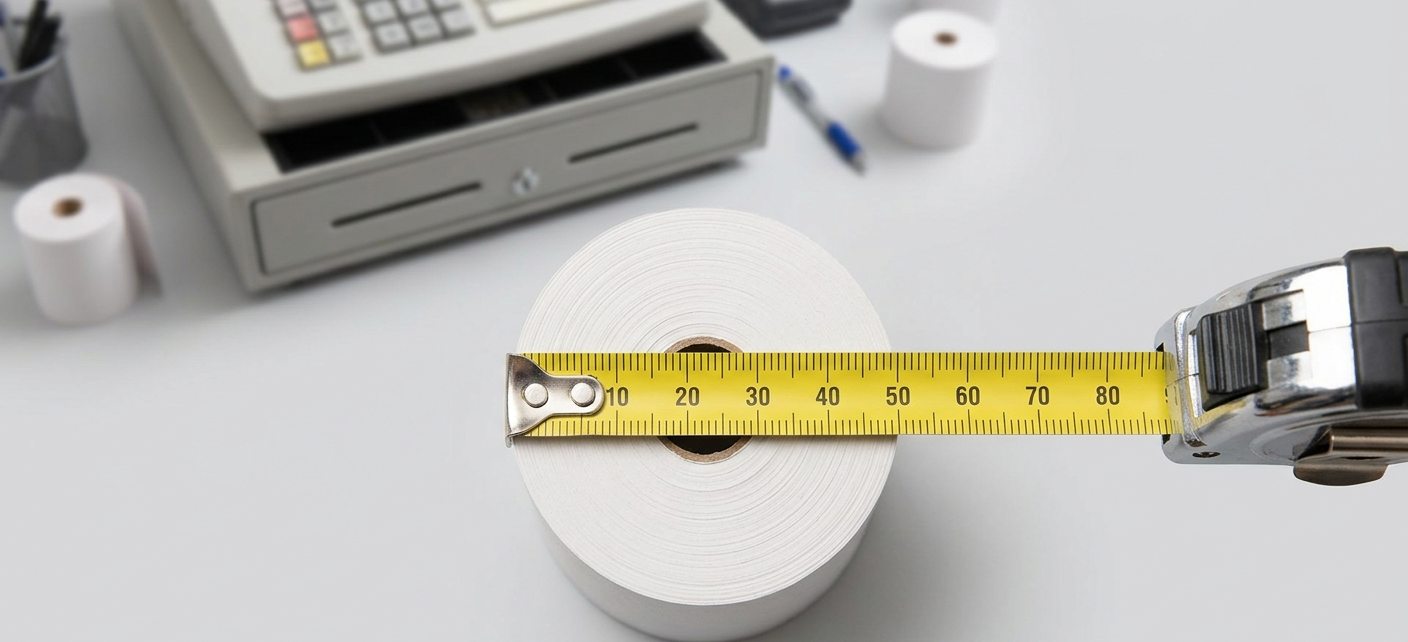
It is one of the most common questions business owners face when restocking receipt paper: which till roll actually fits my machine? The box of rolls from your last order has run out, you cannot find the packaging, and you are not entirely sure whether you need a 57mm, an 80mm, or something else entirely. You order what looks right, it arrives the next day, and it is either a millimetre too wide to close the printer compartment, or so loose it feeds at an angle and jams on the third receipt.
This is an avoidable frustration — and this guide exists to prevent it. Below you will find a plain-English explanation of how till roll sizing works, how to measure your existing roll correctly, a compatibility reference covering the most common cash register and card terminal brands used by UK businesses, and exactly what to do if you are still unsure. Whether you are restocking for a Sharp cash register, a Casio till, a Sam4s terminal, or a card machine from any of the major UK payment providers, this guide will help you identify the right roll quickly and confidently.
Understanding Till Roll Measurements: The Three Numbers That Matter
Every till roll specification is defined by three measurements, typically shown in the format width x diameter x core — all expressed in millimetres. Once you understand what each number means, reading a roll specification becomes entirely straightforward.
Width
Width is the measurement across the paper from one edge to the other — the dimension that determines whether the roll fits between the guides in your printer’s paper compartment. This is the most critical measurement. A roll that is even a millimetre or two too wide will not close the printer lid. A roll that is too narrow will slip sideways during printing, producing skewed or off-centre receipts.
The most common till roll widths in UK use are 44mm, 57mm, 58mm, 76mm, and 80mm. Modern POS systems predominantly use 80mm. Card payment terminals predominantly use 57mm or 58mm. Older cash registers vary considerably, with 44mm, 57mm, and 76mm all common depending on the model and age of the machine.
Diameter
Diameter is the measurement across the full roll from one outer edge to the other when the roll is unused — essentially, how fat the roll is. This determines whether the roll physically fits inside the printer’s paper bay, which has a maximum diameter it can accommodate. A roll that is too large in diameter will not allow the printer compartment to close. A roll that is much smaller in diameter than the maximum will fit fine but will run out more quickly, requiring more frequent roll changes.
Common diameters range from 30mm for very compact card machine rolls through to 80mm or larger for high-volume POS rolls. The diameter directly affects how much paper is on the roll and therefore how long it lasts before needing replacement.
Core Size
The core is the cardboard tube at the centre of the roll. Core size refers to the inner diameter of that tube — the measurement across the hollow centre. This affects how the roll sits on the spindle or mandrel inside the printer. An incorrect core size can cause the roll to wobble during printing, resulting in uneven feeding, smearing, or jams.
The two most common core sizes in UK till rolls are 12.7mm (half an inch) and 25.4mm (one inch). Many modern card terminals and compact printers use the smaller 12.7mm core. Larger POS and cash register printers often use the 25.4mm core. Some machines are coreless — they accept rolls without a cardboard tube at all.
How to Measure Your Existing Roll
If you still have a roll in your machine — even a nearly finished one — measuring it directly is the most reliable way to confirm your specification. You will need a ruler or tape measure.
To measure width: Stand the roll on a flat surface and measure straight across the paper from one edge to the other. This gives you the width in millimetres.
To measure diameter: Measure a fresh unused roll from one outer edge straight across to the opposite outer edge. If your current roll is nearly finished, check the original packaging or order a new roll based on the width and core measurements alone, since diameter will vary as the roll is used.
To measure core: Once the roll is finished, measure the inner diameter of the empty cardboard tube. Alternatively, measure across the spindle inside your printer — the core must fit over this with minimal play.
If you have the original packaging from your previous rolls, the specification will be printed there — usually in the format 57 x 40 x 12.7 or similar. This is the quickest and most reliable reference available.
Cash Register Compatibility Reference: Common UK Models
The following reference covers the roll specifications used by the most common cash register brands and models found in UK retail, hospitality, and trade environments. Where a model has multiple variants, the most commonly used specification is listed.
Sharp Cash Registers
Sharp is one of the most widely used cash register brands among UK independent retailers and hospitality businesses. Common models and their roll specifications include:
- Sharp XE-A107 — 57mm x 40mm x 12.7mm core
- Sharp XE-A147 — 57mm x 40mm x 12.7mm core
- Sharp XE-A177 — 57mm x 40mm x 12.7mm core
- Sharp XE-A207 — 57mm x 40mm x 12.7mm core
- Sharp XE-A217 — 57mm x 40mm x 12.7mm core
- Sharp XE-A307 — 80mm x 80mm x 12.7mm core
- Sharp ER-A410 — 80mm x 80mm x 12.7mm core
- Sharp ER-A420 — 80mm x 80mm x 12.7mm core
Casio Cash Registers
Casio cash registers are common across small retail, café, and market trader environments. Popular models use the following specifications:
- Casio SE-G1 — 57mm x 40mm x 12.7mm core
- Casio SE-S100 — 57mm x 40mm x 12.7mm core
- Casio SE-S300 — 57mm x 57mm x 12.7mm core
- Casio SE-S400 — 57mm x 57mm x 12.7mm core
- Casio PCR-T280 — 57mm x 57mm x 12.7mm core
- Casio PCR-T470 — 57mm x 57mm x 12.7mm core
- Casio TE-4500 — 80mm x 80mm x 12.7mm core
Sam4s Cash Registers
Sam4s (formerly Samsung Cash Registers) terminals are popular in UK hospitality and mid-size retail environments:
- Sam4s ER-180 — 57mm x 40mm x 12.7mm core
- Sam4s ER-230 — 57mm x 57mm x 12.7mm core
- Sam4s ER-380 — 80mm x 80mm x 12.7mm core
- Sam4s ER-420M — 80mm x 80mm x 12.7mm core
- Sam4s ER-650 — 80mm x 80mm x 12.7mm core
- Sam4s SPS-320 — 80mm x 80mm x 12.7mm core
Olivetti Cash Registers
- Olivetti ECR 7100 — 57mm x 40mm x 12.7mm core
- Olivetti ECR 8200 — 80mm x 80mm x 12.7mm core
Royal and Other Legacy Models
Older Royal, TEC, and other legacy cash register models often use 57mm rolls with varying diameters. If your machine is not listed here and you cannot find the specification, the most reliable approach is to measure the existing roll or contact the Till Roll World team with the machine’s make and model for a direct compatibility check.
Card Payment Terminal Compatibility Reference
Card payment terminals — often called PDQ machines — use compact thermal rolls, most commonly 57mm or 58mm wide. The following covers the most common terminal brands used by UK businesses:
Ingenico Terminals
- Ingenico iCT220 / iCT250 — 57mm x 40mm x 12.7mm core
- Ingenico iWL220 / iWL250 — 57mm x 40mm x 12.7mm core
- Ingenico Desk/3500 — 57mm x 40mm x 12.7mm core
- Ingenico Move/3500 — 57mm x 40mm x 12.7mm core
- Ingenico Lane/3000 — 80mm x 80mm x 12.7mm core
Verifone Terminals
- Verifone VX520 — 57mm x 40mm x 12.7mm core
- Verifone VX680 — 57mm x 40mm x 12.7mm core
- Verifone V400m — 58mm x 38mm x 12.7mm core
- Verifone V400c — 58mm x 38mm x 12.7mm core
- Verifone MX915 — 80mm x 80mm x 12.7mm core
Worldpay / Dojo / Paymentsense Terminals
- Worldpay Terminal (Ingenico-based) — 57mm x 40mm x 12.7mm core
- Dojo Go (Paymentsense) — 57mm x 40mm x 12.7mm core
- Paymentsense Move — 57mm x 40mm x 12.7mm core
Barclaycard / Barclaycard Anywhere
- Barclaycard Anywhere (Miura M010) — 58mm x 38mm x 12.7mm core
- Barclaycard Terminal (Ingenico-based) — 57mm x 40mm x 12.7mm core
What Happens If You Use the Wrong Roll Size?
Using an incorrectly sized roll is one of the most common causes of preventable printer problems in retail and hospitality environments. Understanding the consequences of each type of mismatch helps you recognise when a roll incompatibility is the cause of a problem your machine is experiencing.
Roll too wide: The printer compartment will not close fully, or will close but exert pressure on the paper edges that causes immediate jamming on the first print attempt. Do not force the compartment shut — this can damage the feed mechanism.
Roll too narrow: The roll will slip sideways within the paper guides, causing skewed printing where text runs off one edge of the receipt. In some machines, the roll sensor will not detect the paper correctly and the machine may behave as though no roll is loaded.
Roll diameter too large: The roll will not physically fit inside the paper bay, or will prevent the compartment from closing. This is especially common when businesses switch to a higher-volume roll without checking that the increased diameter is compatible with their machine’s housing.
Core size incorrect: An oversized core will not fit over the machine’s spindle. An undersized core will sit loosely on the spindle and wobble during printing, causing the roll to feed unevenly and producing smeared or mis-registered receipts.
Where to Find Your Roll Specification
If you are unsure of your roll specification and have no existing roll or packaging to reference, there are several reliable ways to find it.
Your machine’s user manual will specify the recommended paper roll dimensions — usually in the technical specifications section. If you no longer have the printed manual, the manufacturer’s website or a search for your model number plus “paper roll specification” will typically surface the information quickly.
Your POS or card terminal provider — Worldpay, Barclaycard, Dojo, and others — will also be able to confirm the correct roll specification for the terminal model they have supplied to your business.
The FAQS page at Till Roll World covers a range of common compatibility and sizing questions, and the support team is available at 0191 3232 326 or orders@tillrollworld.co.uk for direct compatibility advice based on your specific machine make and model.
The Full Range for Every Machine
Once you have confirmed your specification, finding the right product is straightforward. The THERMAL TILL ROLLS range covers over 70 size specifications for POS systems and cash registers across the full width range used in UK retail — all UK-manufactured to precision tolerances and available for next working day delivery on orders placed before 1:30pm.
For card payment terminals, the CREDIT CARD ROLLS category covers more than 30 compact roll specifications matched to the full range of terminal brands and models used across UK businesses — including all the Ingenico, Verifone, Worldpay, Dojo, and Barclaycard variants listed above.
For businesses using older cash registers or specialist equipment that requires plain single-ply paper rather than thermally coated rolls, the Single Ply Rolls category covers a wide selection of widths and formats for non-thermal printing applications.
As a specialist Thermal Till Rolls | Cash Register Paper | PDQ & Receipt Paper Rolls UK supplier manufacturing all products in the UK, Till Roll World serves businesses across retail, hospitality, and trade sectors with a comprehensive range and the compatibility knowledge to match the right roll to every machine.
Final Thoughts
Finding the right till roll for your cash register or card terminal is straightforward once you know the three measurements that matter — width, diameter, and core. Measure your existing roll, check the compatibility reference above for your machine model, or contact the Till Roll World team for direct guidance. The right roll, sourced from a precision manufacturer, will feed cleanly, print sharply, and give you one less thing to think about every trading day.
For compatibility queries, bulk orders, or any assistance identifying the correct roll for your machine, contact the team on 0191 3232 326 or email orders@tillrollworld.co.uk. All orders placed before 1:30pm qualify for next working day delivery across the UK.
Frequently Asked Questions
How do I find out what till roll fits my cash register?
Check the packaging of your current roll for the specification — usually printed as width x diameter x core in millimetres. If the packaging is unavailable, measure the roll directly or check your machine’s user manual. You can also contact the Till Roll World team on 0191 3232 326 with your machine’s make and model for a direct compatibility check.
What does 57 x 40 x 12.7 mean on a till roll?
This is the standard format for expressing a till roll specification. The first number (57) is the paper width in millimetres. The second number (40) is the outer diameter of the full unused roll in millimetres. The third number (12.7) is the inner diameter of the cardboard core in millimetres. All three must match your machine’s requirements for the roll to fit and feed correctly.
Can I use a 58mm roll in a machine that specifies 57mm?
In some cases yes, and in others no. Some machines have enough tolerance in their paper guides to accept a 58mm roll in a 57mm slot, while others will jam immediately. It is always safer to use the exact specified width rather than assuming a 1mm difference will be acceptable. If you are unsure, contact the team for guidance before ordering.
What core size do most UK cash registers use?
The two most common core sizes are 12.7mm (half an inch) and 25.4mm (one inch). The majority of compact card terminals and modern cash registers use a 12.7mm core. Larger POS and older cash register models may use a 25.4mm core. Some machines are coreless. Check your machine’s specification or existing roll to confirm.
My till keeps jamming — could it be the wrong roll size?
Yes, this is one of the most common causes of repeated paper jams. A roll that is fractionally too wide, too large in diameter, or has an incompatible core size will cause feeding problems immediately or after a few prints. Confirming you are using the exact specified roll size — from a precision-manufactured UK supplier — and that the roll is loaded correctly with the paper feeding from the correct direction usually resolves jamming issues.
Where can I find the till roll specification for my specific machine model?
Your machine’s user manual is the most reliable source. Manufacturer websites and model-specific support pages also carry this information. The compatibility reference in this article covers the most common UK cash register and card terminal models. For any machine not listed, the Till Roll World team can advise directly — call 0191 3232 326 or email orders@tillrollworld.co.uk.
Do thermal rolls work in all cash registers?
Thermal rolls only work in thermal printers — machines with a heated print head that activates the paper’s heat-sensitive coating. Most modern cash registers and card terminals use thermal printing. Older machines may use ink-based or dot matrix printing, which requires plain paper rolls rather than thermally coated ones. If you are unsure which type your machine uses, draw a fingernail firmly across the blank paper — if a dark mark appears, it is thermal paper and your machine is a thermal printer.
Can I use the same roll in my cash register and my card machine?
Usually not. Cash registers and card terminals typically use different roll sizes — most card terminals use a compact 57mm or 58mm roll, while cash registers and POS systems commonly use wider 80mm rolls or other sizes depending on the model. Always check the specification for each device separately before ordering.